Stop the Tab Chaos: Why You Need an All-in-One AI Workspace
It's February 2026. The AI landscape has exploded with innovation, offering us tools more powerful than we imagined just a few years ago. But for many professionals, this abundance has created a new, silent productivity killer: Tab Fatigue.
Picture this: You have a browser window open. In the first tab, ChatGPT (GPT-5.3-Codex) is helping you debug a complex React component. In the second tab, you have Claude Opus 4.6 open because you need its superior nuance for drafting a client email explaining the bug. In a third tab, you're running Gemini 3 Deep Think to analyze a CSV of performance metrics, and in a fourth, maybe you're experimenting with DeepSeek V4 for its massive context window.
Picture this: You have a browser window open. In the first tab, ChatGPT (GPT-5.3-Codex) is helping you debug a complex React component. In the second tab, you have Claude Opus 4.6 open because you need its superior nuance for drafting a client email explaining the bug. In a third tab, you’re running Gemini 3 Deep Think to analyze a CSV of performance metrics, and in a fourth, maybe you're experimenting with DeepSeek V4 for its massive context window.
You are copying prompts from one, pasting them into another, logging in and out of accounts, and frantically searching for that one conversation from three distinct history sidebars. Your browser looks like a battlefield of favicons, and your RAM is crying for mercy.
This is "Tab Chaos." It’s messy, it’s inefficient, and it breaks your flow state every time you switch contexts. In this post, we’re going to explore why the fragmented AI ecosystem is hurting your work and how a unified, desktop-first approach with Swipeer can give you back your focus.
The Cognitive Cost of Fragmentation
We often underestimate the mental toll of switching tools. Research from the University of California, Irvine, famously showed that it takes an average of 23 minutes and 15 seconds to get back on track after being interrupted. While switching browser tabs isn't a full interruption, it is a micro-switch.
Every time you leave your code editor to open a browser, navigate to a URL, and wait for a UI to load, you are leaking cognitive energy. When you do this 50 times a day to access different AI models, you aren't just losing minutes; you're losing the depth of your thinking.
"The modern workflow isn't limited by the capability of our tools, but by the friction of accessing them."
The reality of 2026 is that no single AI model is perfect at everything. To be a top-tier performer, you need access to the specific superpowers of each model.
Meet the Titans: Why You Need Them All
Let's look at why the current landscape forces us into this fragmented workflow. The specialization of models has reached a point where sticking to just one means settling for mediocrity in certain tasks.
1. OpenAI's GPT-5.3-Codex
Currently the undisputed king of code generation. Its understanding of modern frameworks, ability to refactor legacy code, and speed make it indispensable for developers. If you aren't using Codex for programming tasks, you are working slower than your competition.
2. Anthropic's Claude Opus 4.6
Claude has carved a niche as the "writer's model." Its prose is less robotic, more empathetic, and highly nuanced. But its real killer feature in 2026 is the 1 Million Token Context Window. You can drop entire books, legal contracts, or massive codebases into Claude, and it "understands" the whole picture in a way other models struggle to match.
3. Google's Gemini 3 Deep Think
Gemini has evolved into a reasoning powerhouse. Its "Deep Think" mode is exceptional for complex, multi-step logic puzzles, scientific research, and data analysis. Plus, its multimodal native capabilities mean it understands video and images faster and more accurately than the rest.
The Dilemma: You need Codex for the backend, Claude for the documentation, Gemini for the data analysis, and DeepSeek for the brainstorming. Managing four separate subscriptions and interfaces is not a workflow; it's a chore.
The Swipeer Solution: Orchestration, Not Selection
This is where Swipeer changes the game. We built Swipeer on a simple premise: The interface should be decoupled from the intelligence.
Swipeer is a native desktop application that acts as a unified command center for all major AI models. Instead of visiting four websites, you open one app.
Parallel Workflows: The Power of Comparison
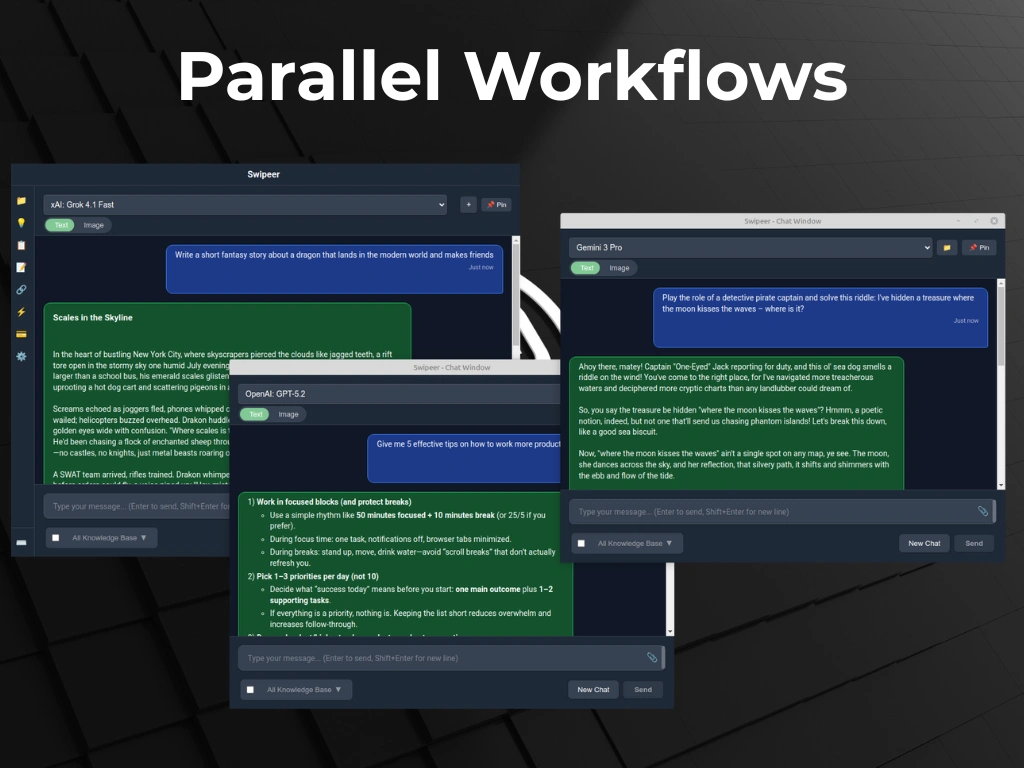
One of Swipeer's most powerful features is Parallel Workflows. Why settle for one opinion when you can have three instantly?
Imagine you are writing a critical email to a stakeholder. In Swipeer, you can type your draft once and hit "Send." You can configure the app to route this prompt to GPT-5.3, Claude Opus, and Gemini Pro simultaneously.
In seconds, you have three variations side-by-side:
- GPT-5.3 might make it concise and professional.
- Claude might make it warmer and more persuasive.
- Gemini might offer a structured bulleted alternative.
You can then cherry-pick the best parts of each. This isn't just about speed; it's about quality assurance. By triangulating answers, you spot hallucinations faster and find the optimal phrasing without the friction of copy-pasting between tabs.
Why Desktop Beats the Web
Browser-based AI has a hard ceiling because browsers are sandboxed environments designed for consuming content, not integrating with your system. As a native application, Swipeer integrates deeply with your OS to offer features a website simply can't match.
1. Global Shortcuts: speed of Thought
Productivity is about momentum. With Swipeer, you press a global shortcut (like
Alt+Space or Cmd+K), and the AI input bar appears instantly over whatever
you are doing.
You don't need to find the browser window. You don't need to click a tab. You ask your question ("How do I reverse a binary tree in Python?"), get the answer, clear it, and you're back to your IDE. It feels less like using a tool and more like having an extension of your own memory.
2. System-Wide Context
Have a PDF on your desktop? A log file in your terminal? With Swipeer, you can drag and drop files from anywhere on your system directly into the chat. No generic "Upload" dialogs. The app understands your file system.
3. Offline Capability with Ollama
What happens when the internet goes down? Or when you're on a flight? With browser AI, you're dead in the water.
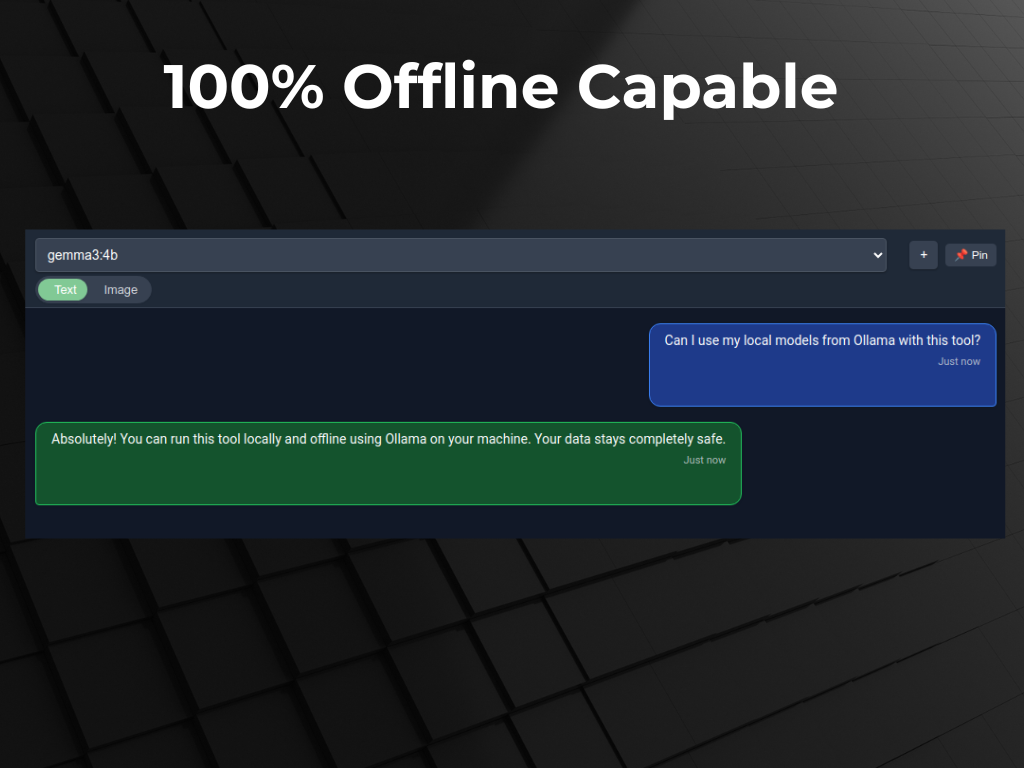
Swipeer integrates seamlessly with Ollama, allowing you to run powerful open-source models (like Llama 4 or Mistral) locally on your machine. This means you have an intelligent assistant that works 100% offline, with zero latency, and zero data leaving your device.
Privacy in an Age of Surveillance
Finally, let's talk about the elephant in the room: Data Privacy.
When you use a browser-based free tier, you are often the product. Your chats may be used for training. Your history lives on a server you don't control.
Swipeer takes a Local-First approach. Your chat history, your prompt library, your custom knowledge bases—they all live on your hard drive in an encrypted format. We don't see your chats. If you delete a conversation, it's gone. If you use a local model, not a single byte of data leaves your computer.
For businesses working with sensitive IP, code, or financial data, this isn't just a feature; it's a requirement.
Conclusion: Reclaim Your Focus
The future of work isn't about choosing one AI model; it's about orchestrating all of them efficiently. The browser tab model is a relic of the Web 2.0 era. AI requires a new form factor—one that is fast, unified, and deeply integrated into your workflow.
It's time to close the tabs. Stop the chaos. Let Swipeer handle the complexity so you can focus on what matters: building, creating, and solving.
Ready to declutter your digital life?
Join thousands of productivity-focused developers and creators. Try Swipeer today and experience the power of a unified AI workspace.