How to Build a Local AI Knowledge Base for Research
If you use AI for heavy research, data analysis, or long-term projects, you are likely familiar with "Context Amnesia." You start a new chat, inevitably spend five minutes re-uploading the same core PDFs or CSV datasets, and type out the same background instructions before you can even ask your first real question. It's an incredibly inefficient loop.
For researchers, academics, and knowledge workers dealing with large volumes of data—especially proprietary or sensitive information—the standard web-based AI chat interface is fundamentally broken. You need an AI that remembers your project. You need a dedicated, persistent knowledge base.
The Problem with Web-Based AI for Research
Tools like ChatGPT or Claude via the browser treat every new chat as a blank slate. While they have introduced "Projects" or "Artifacts," these solutions often fall short for serious data workers for several critical reasons:
- Repetitive Setup: Every new session requires re-establishing context, wasting valuable time and cognitive energy.
- Privacy and Security Risks: Uploading proprietary CSVs, confidential legal documents, or unreleased research data to cloud servers is often a direct violation of internal compliance rules or NDAs.
- File Size Constraints: Web interfaces frequently crash or time out when challenged with massive datasets or hundreds of pages of PDF literature.
- No Multimodal Processing on Your Terms: You want an AI that can look at an image chart, read a related CSV, and reference a PDF in the same breath, without juggling browser tabs.
The Solution: Swipeer's "Local AI Brain"
Imagine having an intelligent research assistant whose sole job is to memorize everything about a specific client or topic, and who sits locally on your Mac's hard drive, ready to be summoned instantly.
This is the core concept behind Swipeer's Local AI Brain. Swipeer is a native desktop application designed to give your AI a permanent memory.
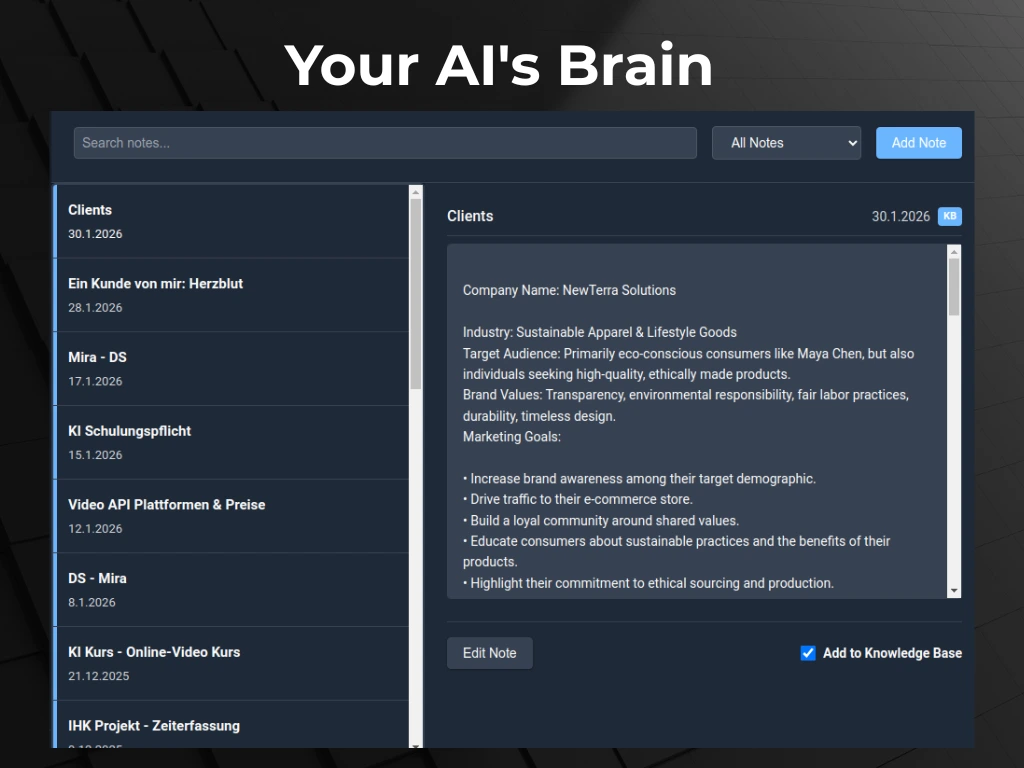
Step 1: Create Dedicated Project Spaces
Instead of a generic "New Chat," Swipeer allows you to create dedicated spaces (Brains) for distinct clients, research topics, or ongoing tasks. You might have one Brain for "Q3 Financial Audit," another for "Competitor Analysis," and a third for "Academic Paper Draft."
Step 2: Drag and Drop Context (Once)
Within a Brain, you establish the persistent ground truth. You simply drag and drop your source materials:
- PDF research papers and literature reviews.
- Large CSV files containing raw survey data or sales figures.
- Code snippets or system architecture diagrams (images).
- Text documents outlining specific formatting rules or organizational tone.
You do this exactly once. Swipeer indexes these files locally.
Step 3: Define Persistent Instructions
Next, you give the Brain its standing orders. For example: *"You are an expert financial auditor. Your job is to analyze the attached CSV ledgers against the PDF compliance guidelines. Always highlight discrepancies formatting them as markdown tables, and cite the exact page number of the PDF when referencing a rule."*
Step 4: Chat with Instant Recall
Now, your setup is complete. Every time you open that specific AI Brain, whether it's tomorrow or next month, the AI instance is already fully briefed. You ask it a question, and it instantly searches across your pre-loaded PDFs, analyzes the CSVs, and formats the output exactly as instructed.
The Critical Advantage: 100% Offline Privacy
The most significant advantage of Swipeer's approach for researchers is data sovereignty. When you use the Local AI Brain in conjunction with a local LLM via Ollama (which is built directly into Swipeer's workflow), your data never leaves your machine.
The PDFs you upload to the Brain are stored locally. The vector indexing happens locally. The AI model itself inferences locally. This means you can finally analyze highly sensitive medical records, proprietary source code, or confidential financial data with advanced AI without violating GDPR, HIPAA, or strict corporate NDAs.
Combine with Parallel Workflows for Ultimate Deep Work
Swipeer doesn't just give you one persistent Brain. It allows you to run Parallel Workflows.
Let's say you have conflicting data points in your research. You can open a chat with your local AI Brain analyzing your secure PDFs on the left side of your screen, while simultaneously opening a separate chat communicating with Anthropic's latest Claude model on the right side to help you write the executive summary. You can broadcast prompts to both models at once and compare their outputs side-by-side, all without leaving the Swipeer native app.
Conclusion
Stop treating AI like a disposable search engine. For deep research and complex knowledge work, context is everything. By building a persistent, local AI Knowledge Base with Swipeer, you eliminate repetitive setup, secure your proprietary data, and dramatically accelerate your analytical workflow.
Give Your AI a Permanent Memory.
Stop re-uploading the same PDFs. Download Swipeer and build secure, local AI Brains for your most complex research projects today.